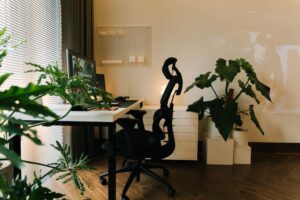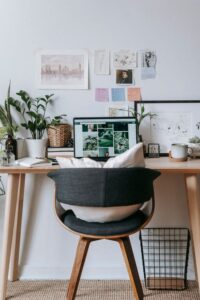
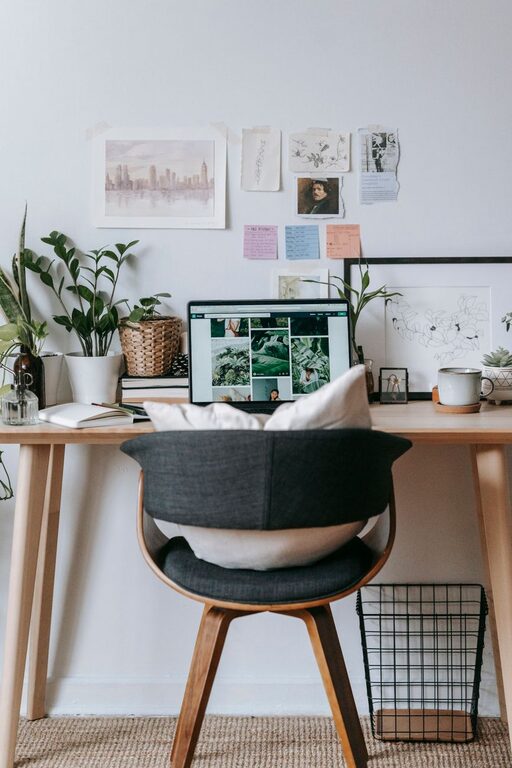
Creating a cozy and functional home office space can make a significant difference in your workday. Whether you’re working remotely full-time or just occasionally, an inviting and well-organized workspace helps boost productivity and reduce stress. Here are practical tips to help you design a home office that balances comfort with function.
Choose the Right Location
Selecting the best spot in your home for your office is the first step. Ideally, this should be:
– Quiet and private: A space away from household noise and traffic helps you focus.
– Well-lit: Natural light is best, so pick a room or corner with windows. If that’s not possible, invest in good quality lighting to reduce eye strain.
– Spacious enough: You’ll need enough room for your desk, chair, computer, and any additional tools.
If a separate room isn’t available, consider using a decorative room divider or screen to create a defined workspace area.
Invest in Comfortable and Ergonomic Furniture
Comfort is key when you spend hours working at a desk. Consider these tips:
– Desk: Choose a desk that fits your available space but offers enough surface area for your computer, papers, and accessories.
– Chair: Opt for an ergonomic chair with adjustable height, good lumbar support, and comfortable cushioning.
– Standing desk option: Some find alternating between sitting and standing helpful. Adjustable desks allow for this flexibility.
Proper furniture protects your body and keeps you comfortable, which helps maintain your focus.
Organize Your Space Efficiently
A clutter-free workspace promotes efficiency and keeps distractions at bay. Ideas for organization include:
– Storage solutions: Use shelves, filing cabinets, or drawers to store paperwork and supplies.
– Desk organizers: Pen holders, trays, and document stands can keep your desk tidy.
– Cable management: Use clips or cable sleeves to keep wires under control and prevent tangling.
Regularly declutter your workspace to keep it functional and inviting.
Personalize Your Space for Comfort and Inspiration
While functionality is important, making your office feel cozy and personalized helps create a welcoming environment:
– Add plants: Indoor plants improve air quality and add a calming natural element.
– Decorate with art or photos: Inspirational prints or family photos can motivate you during long work sessions.
– Use soft textiles: A rug, cushions, or a cozy throw blanket add warmth and comfort.
– Adjust colors: Choose calming paint colors or accessories that make you feel relaxed and focused.
Personal touches make the space feel yours, reducing stress and boosting creativity.
Optimize Lighting for Your Tasks
Good lighting is vital for preventing eye strain and maintaining alertness:
– Natural light: Position your desk near a window if possible, but avoid glare on your screen.
– Task lighting: Use a desk lamp with adjustable brightness for focused work.
– Ambient lighting: Soft overhead lighting can reduce contrast and improve comfort.
Combining different lighting sources allows you to adjust your workspace lighting based on the time of day and tasks.
Ensure Good Air Quality and Temperature
Working comfortably means regulating your environment:
– Ventilation: Open windows or use an air purifier to keep fresh air circulating.
– Temperature: Use fans or heaters to maintain a comfortable temperature without distractions.
– Humidity: A small humidifier can help in dry climates or heated rooms.
Fresh air and a pleasant temperature support concentration and well-being.
Create Boundaries Between Work and Home Life
When working from home, separating your workspace from living areas can support focus and work-life balance:
– Set defined work hours: Stick to a routine to avoid overworking.
– Signal boundaries: When you leave your workspace, turn off your computer and tidy your desk to mentally close the workday.
– Limit distractions: Inform family members of your work schedule and use headphones if needed.
Clear boundaries help you stay productive and relax after work.
Incorporate Technology Thoughtfully
Technology is essential in a home office, but it should support—not overwhelm—your workflow:
– Reliable internet connection: Crucial for video calls and accessing online resources.
– Quality peripherals: A good keyboard, mouse, and monitor reduce fatigue.
– Backup power: Consider a surge protector or UPS to protect your devices.
Keep cables organized and wires hidden to maintain a clean look.
—
Creating a cozy and functional home office space doesn’t require a major renovation. Focus on combining comfort, good organization, proper lighting, and personal touches to build a space where you can work effectively and enjoy spending time. With these tips, you’ll foster both productivity and well-being, turning your home office into your favorite room in the house.