
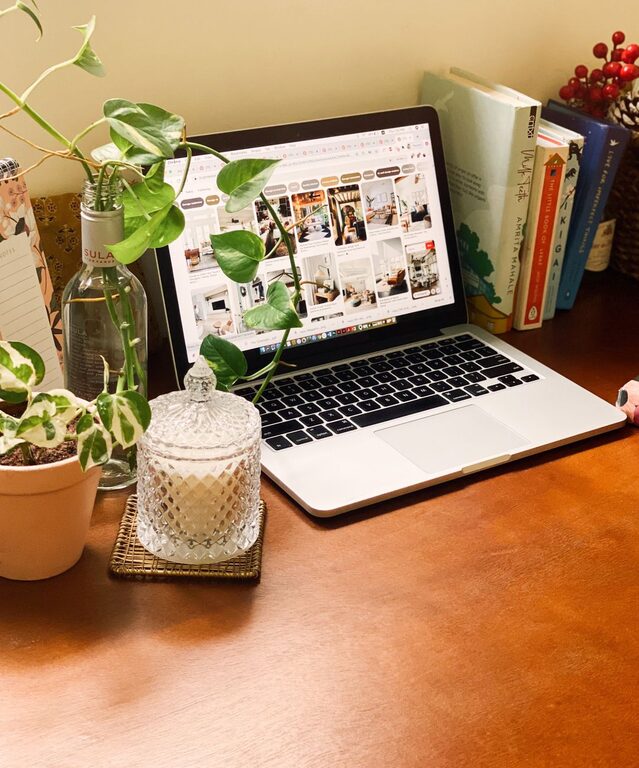
Creating a cozy and inviting home workspace is essential for anyone who spends a significant amount of time working from home. A well-designed workspace can improve focus, increase productivity, and make work feel less like a chore. Whether you have a dedicated room or just a corner of your living room, there are many ways to transform your space into a comfortable and inspiring environment.
Why a Cozy Workspace Matters
Your workspace affects how you feel and perform during the day. A cluttered or uncomfortable area can cause stress and distraction, while a cozy, well-organized space encourages motivation and creativity. When you create a workspace that feels inviting, you’re more likely to enjoy your work and maintain a good work-life balance.
Start with the Right Location
Finding the best spot in your home for a workspace is the first step.
Consider Natural Light
Choose a space near a window if possible. Natural light boosts mood and energy levels. Position your desk so that light comes from the side to avoid screen glare.
Minimize Distractions
Pick a quiet corner away from heavy foot traffic or noisy appliances. If your home is busy, noise-canceling headphones or a white noise machine can help.
Choose Comfortable and Functional Furniture
Comfort and practicality are key to a productive workspace.
Invest in a Quality Chair
A chair with good lumbar support helps prevent back pain and keeps you comfortable during long work hours.
Select a Suitable Desk
Your desk should be large enough for your computer, paperwork, and other essentials without feeling cramped. Adjustable desks that allow sitting and standing can be a great choice.
Organize for Efficiency
A tidy space promotes a clear mind.
Use Storage Solutions
Shelves, filing cabinets, and desk organizers keep supplies neat and accessible. Labels can help you find things quickly.
Limit Clutter
Only keep essential items on your desk. Put away rarely used materials.
Add Warm and Inviting Elements
Personal touches make your workspace feel welcoming.
Use Soft Textiles
Add a cozy throw blanket or an area rug to soften the space and add warmth.
Incorporate Plants
Houseplants improve air quality and add a calming natural element.
Choose Warm Lighting
Desk lamps or floor lamps with warm bulbs create a soothing atmosphere. Avoid harsh overhead lighting.
Personalize Your Space
Photos, artwork, or inspirational quotes can make your workspace more enjoyable and uniquely yours.
Maintain Good Ergonomics
Protect your posture and avoid strain.
Position Your Screen Properly
Your computer screen should be at eye level and about an arm’s length away.
Arrange Your Keyboard and Mouse
Keep your keyboard and mouse close enough to prevent stretching.
Take Breaks and Stretch
Set reminders to stand, move, and stretch every hour.
Add Technology Thoughtfully
Choose devices and accessories that enhance your comfort and productivity.
Use a Quality Headset or Speakers
For better sound during meetings or focus music.
Manage Cables
Cable organizers keep wires neat and avoid tangling.
Create Boundaries Between Work and Home Life
This helps you switch off at the end of the day.
Set Work Hours
Stick to a schedule to avoid overworking.
Close Your Workspace
If possible, shut a door or pack up your work items to signal the end of the workday.
Final Thoughts
Creating a cozy and inviting home workspace is all about balancing comfort, organization, and personal style. By paying attention to where you work, how your furniture supports you, and adding a few personal touches, you can build a space that invites productivity and positivity every day. With thoughtful planning, even a small area can become a warm and inspiring place to work.